
How to plan a month of content in Notion
A simple four-part Notion system for planning a full month of posts in one sitting, so you stop waking up wondering what to post today.
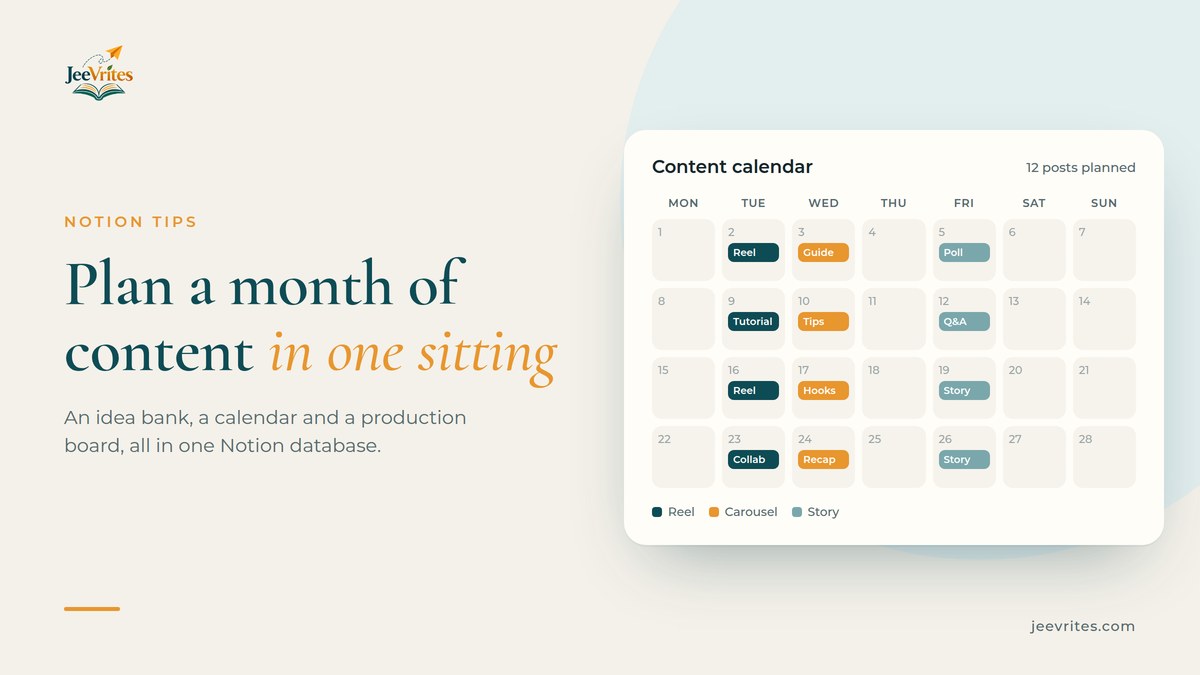
Most creators don’t run out of ideas. They run out of time to decide. Every morning starts with the same question, “what do I post today?”, and by the time you have an answer, the good light is gone and the day has moved on.
The fix is to make those decisions once a month, in one sitting, and spend the rest of the month just making things. Notion is a good place to do this because one database can show the same posts as a list, a calendar and a board, so you never copy anything twice.
Here is the four-part system I use. You can build it on Notion’s free plan in about an hour.
1. An idea bank you actually use
Ideas arrive at the worst times: in traffic, in the shower, halfway through someone else’s reel. If they don’t have one obvious home, they’re gone.
Make a single Notion database called Content with these properties:
- Name (title): the idea in a few words
- Status (status): Idea, Planned, Scripted, Filmed, Edited, Scheduled, Posted
- Format (select): Reel, Carousel, Story, Long video, Blog post
- Pillar (select): the 3–4 topics your account is about
- Publish date (date)
- Hook (text): the first line or first 2 seconds
Every new idea goes in as a row with Status = Idea. Don’t plan it, don’t judge it. Just capture it. Put the Notion app’s share option on your phone’s home screen so a link or a voice note goes straight in.
Tip: add an Energy select (Low, Medium, High). On a tired Thursday you can filter for low-energy ideas, like a talking-head story, and still post.
2. Pillars keep the month balanced
Pillars are the 3–4 themes your audience follows you for. For a fitness creator that might be workouts, food, mindset, behind the scenes. For a Notion creator, templates, tutorials, productivity, my desk.
When you plan the month, aim for a mix, not a perfect split. A simple rule that works: no pillar more than twice in a row. Group your Content database by Pillar for a quick check that one theme isn’t swallowing the month.
3. The monthly planning sitting
Block 90 minutes on the last Sunday of the month. Open the Content database and work through it in this order:
- Clear last month. Anything not posted goes back to Idea, or gets deleted if it no longer excites you.
- Pick your anchors. Choose 4 “big” pieces, one per week: a tutorial, a story, a carousel guide. These carry the month.
- Fill the gaps. Add 2–3 smaller posts per week around each anchor: a reel hook taken from the tutorial, a story poll, a quick tip.
- Set dates. Give every planned post a Publish date and change its Status to Planned.
- Write the hooks. Hooks are the hardest part, so do them all now while you’re in the zone. Five hook formulas that stop the scroll will help.
Now add a Calendar view to the database, laid out by Publish date. That’s your month, at a glance.
| Week | Anchor | Around it |
|---|---|---|
| 1 | Tutorial reel | 2 tip carousels, 1 story poll |
| 2 | Personal story | 1 behind-the-scenes reel, 1 Q&A story |
| 3 | Carousel guide | 2 short reels from the guide’s slides |
| 4 | Collab or trend | 1 recap carousel, 1 “what’s next” story |
4. A production board and a weekly check
Planning is half the job. Add a Board view grouped by Status, filtered to this month. Each post moves left to right: Planned → Scripted → Filmed → Edited → Scheduled → Posted.
Batching is where the time goes back into your week. Script all of a week’s posts in one session, film in one session, edit in one session. Switching between tasks costs more than the tasks themselves.
Every Sunday, spend 15 minutes on a weekly check:
- What got posted? Mark it Posted.
- Which post did best? Add a Result note (views, saves, comments) so next month’s plan learns from this one.
- What slipped? Move it to next week or back to Idea. No guilt.
What this looks like after a month
You open Notion on a Tuesday and the answer to “what do I post today?” is already there: the hook is written, the format is chosen and the date is set. You make the thing and move on.
After two or three months the Result notes start showing patterns. Maybe your carousels get saved twice as often as your reels, or Thursday posts always do better. That’s when planning stops being a chore and starts growing the account.
Want it ready-made?
If you’d rather skip the setup, the Creator Content Planner is this whole system already built: a production board from idea to published, a content calendar across every platform, an idea bank with a library of proven hooks, content pillars with a target mix, and a performance tracker that works out your engagement rate. Duplicate it into your Notion and start planning in ten minutes. It works on Notion’s free plan.
If brand deals are part of your month too, read how to track brand deals in Notion without a spreadsheet next.